

Ideas for how to iteratively enhance your UI designs and improve UX by leveling up design patterns.
A common challenge for front-end designers and developers is figuring out how to take UI designs to the next level. During the design process, there is often a visual threshold that delineates an under-designed interface from a well-designed one. Students often struggle with seeing and crossing this abstract line, whereas designers at award winning agencies thrive at pushing and exceeding this line, creating exceptional interfaces that elevate brands and transcend user experiences,
This lesson provides a simple framework for designers to mindfully consider, with the explicit objective of iteratively “leveling up” individual design patterns, e.g. from Level 1 to Level 2, as a means of breaking down interfaces into smaller parts and exploring ways to evolve flat, stagnant designs into sophisticated, well-crafted user experiences. From buttons to headers, animation and copy writing, leveling up is an opportunity to demonstrate a mastery of craft, an eye for detail, and a creative awareness of knowing how to elevate a client’s brand through the user’s journey.
A Relative +1 Level System
Instead of using a universal set scale (e.g. Level 1-4), instead try using a relative scale for each UI element and design pattern, beginning with an audit of the current state of each element and then identifying and making a list of specific ways that you can consider making improvements one level at a time (+1).
Example Level 1
A simple, functional baseline design with a safe, standards-based, minimalist approach. This might be a clean UI that is legible and functional, but not impressive. It might look like many other interfaces out there, commonly built with popular UI frameworks like Bootstrap or Tailwind and resembles their out-of-the-box default styling. This level of UI design gets the job done but doesn’t leave a lasting impression.
Example +1 to Level 2
Consider adding a unique visual enhancement that introduces personality. This might be changing a flat color to a gradient, or setting custom type via color or weight or style or by adding a graphical underline or highlight, or by adding a unique selected state to an active nav item, or by adding icons next to text to provide more context. And don’t forget about copy-writing — this is one of the most effective ways to level up. All +1 improvements should help the UI feel more branded, more customized, more intentional, and more professional.
Example +1 to Level 3
Consider adding interactivity and animation. Here, you might introduce motion and depth via hover states on buttons and clickable items such as thumb images, or animated icons on button hover states, or scroll-triggered animations to reveal new content that enters the viewport. Well done UI animation via layered compositions and small micro-interactions can help to delight the user as they interact with the content, navigate the interface, and scroll.
Example +1 to Level 4
Consider creating bespoke content that is smart, signature, and of the highest production quality. This might be custom mockups and photography that are clearly unique and communicate your distinct message, such as behind-the-scenes imagery of your design process. Or converting a still image to a video that you shot and edited to tell your story in a way that only you can. This might be converting your found mockups to custom ones that you 100% created yourself. This might include custom motion graphics created in after effects that you exported via bodymovin or Lottie, such as animated custom icons. The end result of adding level 4 improvements should clearly communicate a curated digital experience that is unique to you, or unique to your client and each project, each page, and each section.
When is the Game Over?
Unfortunately there is rarely a clear final level. Often the more time you spend the more opportunities you will find to level up, so in the end there are two main objectives:
- Make sure that you keep iterating until you have crossed the threshold from under-designed to well-designed.
- Make sure that there is a good balance of enhancement and usability.
Tip: you don’t need every element on your page to be a Level 4. If everything is loud, it might get too noisy and less will be heard. One of the secrets to UI design is knowing when to stay at a lower level for function and clarity and when to level up for improvement or perhaps a big “wow” moment.
Have fun!
Links to Examples of UI’s at Various Levels
Home Page Hero + Site Headers:
01 | 02 | 03 | 04 | 05 | 06 | 07 | 08 | 09 | 10 | 11 | 12 | 13


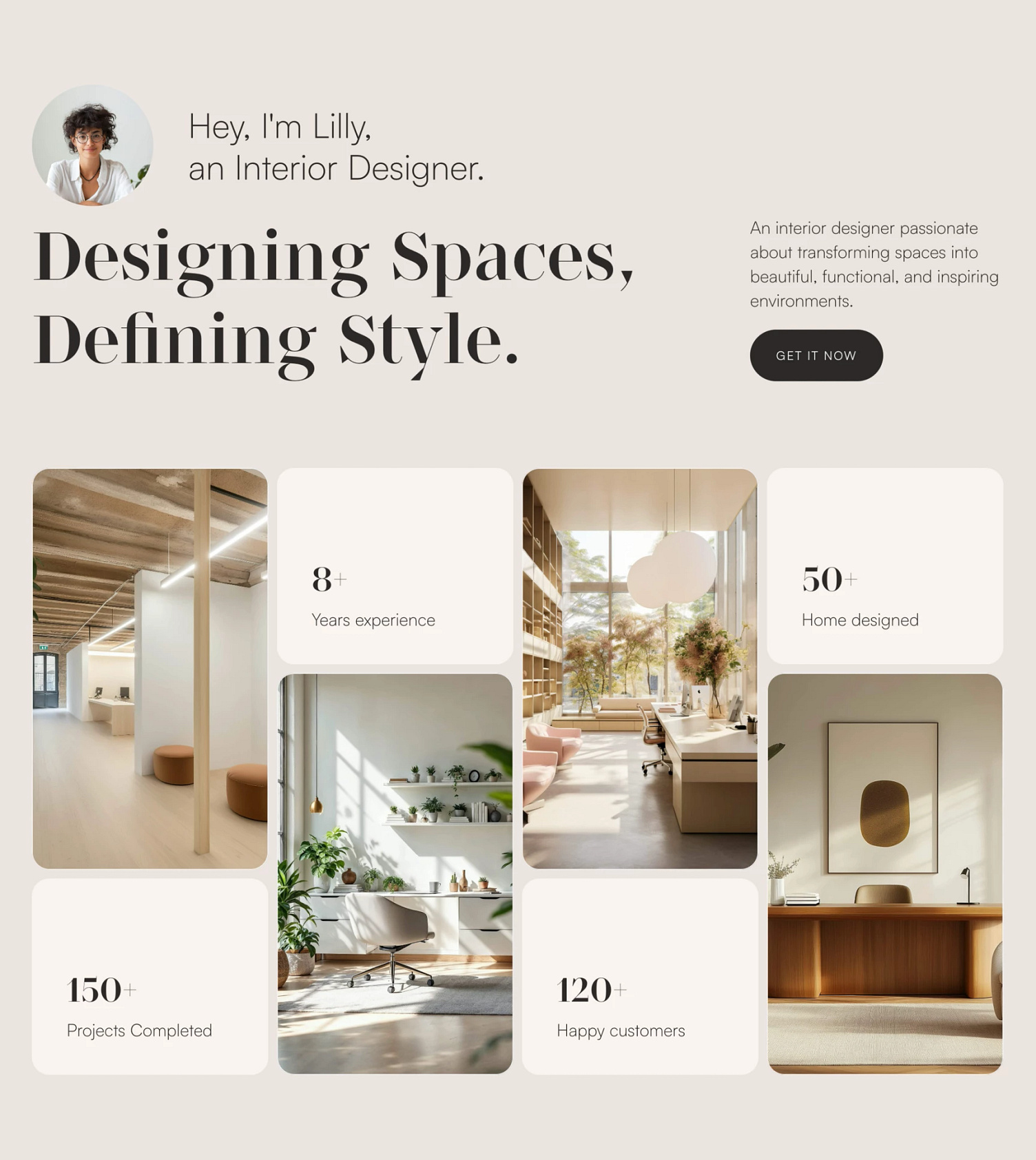


Project Thumbs:
01 | 02 | 03 | 04 | 05 | 06 | 07 | 08 | 09 | 10 | 11 | 12 | 13 | 14 | 15 | 16


Case Study Pages:

Portfolio Footers:

Also check out footer.design
Buttons:
[ need to add links here ]